Add custom fields to SIMs
Add your own information to SIMs, such as a device serial number, an install date or a customer number. Each custom field shows as a column in the SIMs list and under Custom info on the SIM details page.
Before you start
- Your company has the Productivity toolkit app. See Turn on an app in the App Store.
- You’re a Company administrator, or an Operator whose permissions allow it.
Labels, groups or custom fields?
| Type | Per SIM | Use it for | Example |
|---|---|---|---|
| Label | Any number | Sorting that overlaps | customer-acme, germany, pilot |
| Group | One | The main split of your fleet | Temperature sensors, Trackers |
| Custom field | One value per field | Your own data | Asset ID: 40021 |
A good start is one group per product or device type, and labels for everything else.
See Label SIMs and Group SIMs.
Add a custom field
- Go to SIMs.
- To give the default value to some SIMs only, select those SIMs first. If you select none, every SIM gets the default value.
- Select the gear button above the table.
- In Modify SIMs view, select Add a custom column.
- Under Name, enter the field’s name, up to 100 characters.
- Under Type, choose Text, Number or Date. You can’t change the type later.
- Optionally, enter a default value.
- Select Create column.
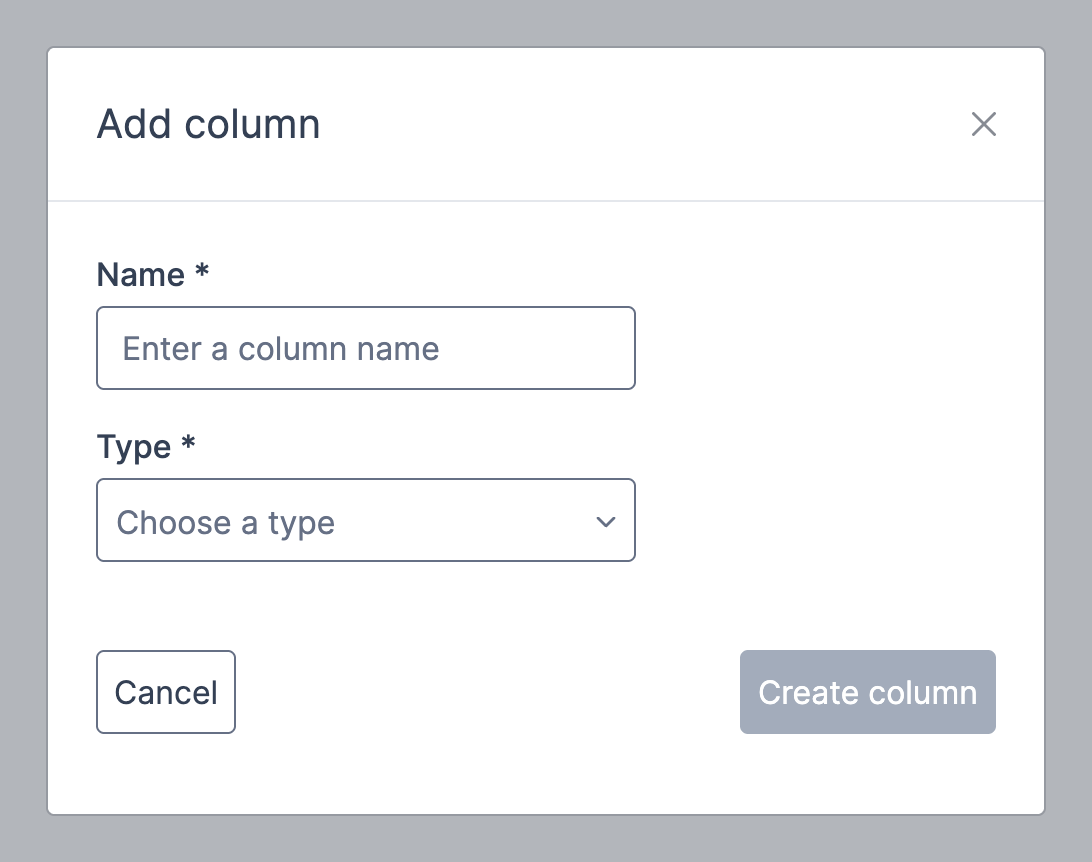
Terminal shows Custom column “[name]” added and adds the column to the SIMs list.
Set a different value for one SIM
- Go to SIMs and select the SIM’s ICCID.
- On the Connection tab, under Custom info, select the pen icon next to the field.
- Under the override value, enter the value for this SIM.
- Select Save.
The value applies only to this SIM. The default value stays the same for other SIMs.
Changing the field’s name or default value here changes it for every SIM that has the field.
Set values for many SIMs from a file
You can fill custom field values from a file with the upload in the SIMs list. Each column header in the file must match the custom field’s name exactly. See Change many SIMs at once.
Delete a custom field
- Go to SIMs and select the ICCID of any SIM.
- On the Connection tab, under Custom info, select the bin icon next to the field.
- Confirm.
Terminal deletes the field for the whole company, not only for this SIM.