Test that your device supports eSIM transactions
Check that a device and its cellular module can handle eSIM transactions before you change eSIM profiles on many devices. Terminal runs the eSIM Compatibility Test on one eSIM in one device. Your company must pass the test before its first eSIM transaction. The first test is free. Test again when you use new hardware or change the device’s setup.
Before you start
- You have a 1oT eSIM in the device you want to test, and you know its EID.
- The SIM’s status is Live. If it isn’t, Terminal offers Put SIM LIVE during the test.
- The device is on and has an active data connection.
- The device’s APN is
terminal.apn. - For SGP.02 eSIMs: the cellular module supports Bearer Independent Protocol (BIP), and BIP is turned on. BIP lets the eSIM reach 1oT’s eSIM platform over the data connection. SGP.32 eSIMs don’t need BIP or SMS.
Run the test
- Go to eSIM Management and select the eSIM’s EID.
- Select Test eSIM compatibility.
- Read Welcome to the eSIM test! and continue.
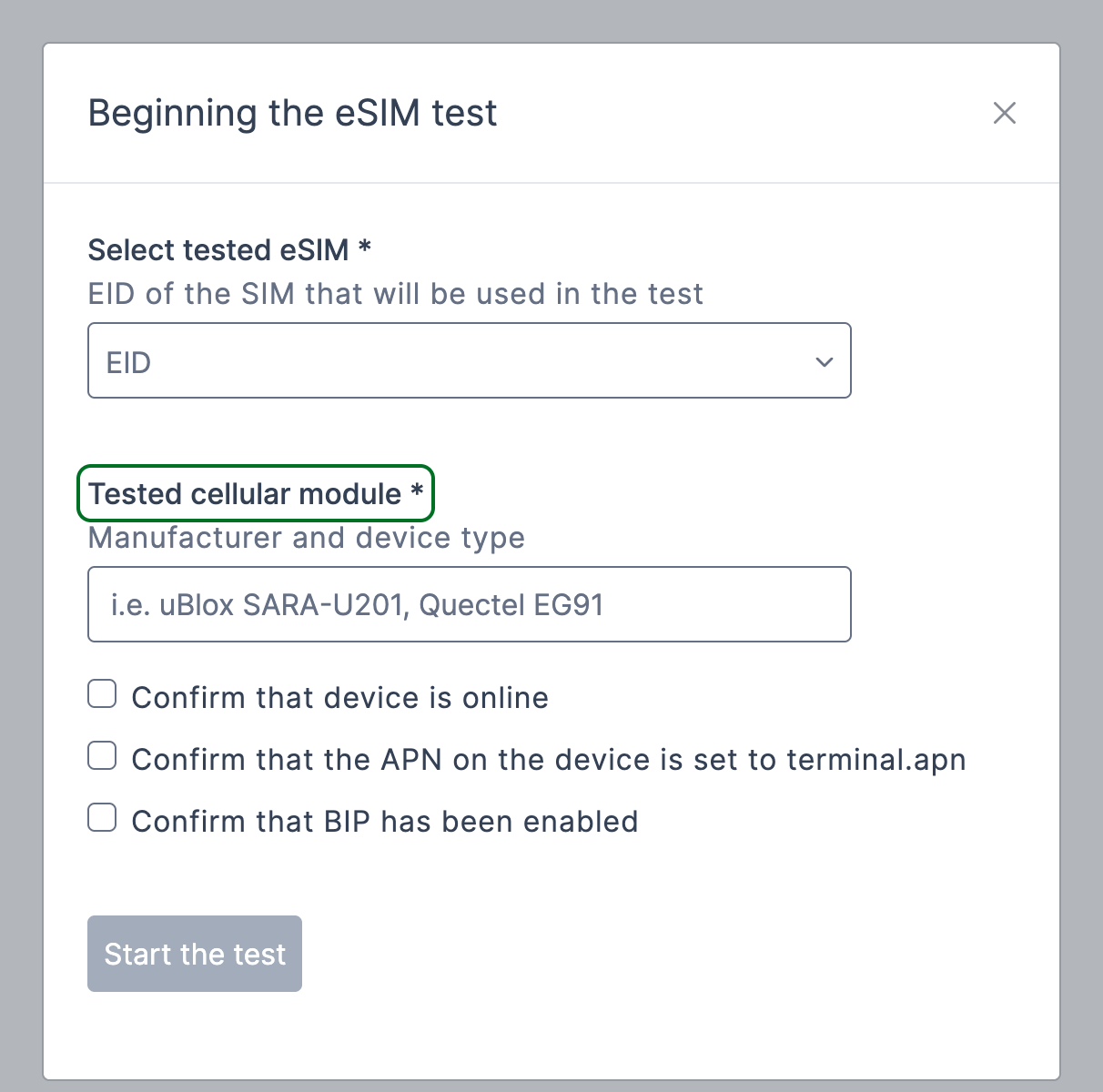
- Under Beginning the eSIM test, select the eSIM you’re testing.
- Under Tested cellular module, enter the module’s make and model, for example Quectel EG91.
- Confirm that the device is online, that the APN is
terminal.apnand that BIP is enabled. - Select Start the test.
During the test, Terminal downloads a test eSIM profile to the eSIM, enables it, switches back to the profile the eSIM used before, and deletes the test profile. Keep the device on and connected until the test ends.
You can close the browser tab. Terminal emails you the result, and the result shows in Terminal.
If the test fails
Check the device, then run the test again. The steps in Fix a failed or expired eSIM transaction apply to the test too.
Only the first test is free. Each test after that costs a fee, which shows on your next invoice.